All articles/How-to
How to Make NSFW AI Pictures From One Image
Only have one image of her? It's enough. What makes a good single picture, what carries over (face, hair, outfit, style), what to skip, and how to build a set.
One image is enough for NSFW AI pictures if the generator works from a reference. I uploaded our blonde reference, one file and nothing else, to Gensomnia and tapped Arched Back, Micro Bikini and Poolside with Semi-Realistic on top.
What we picked
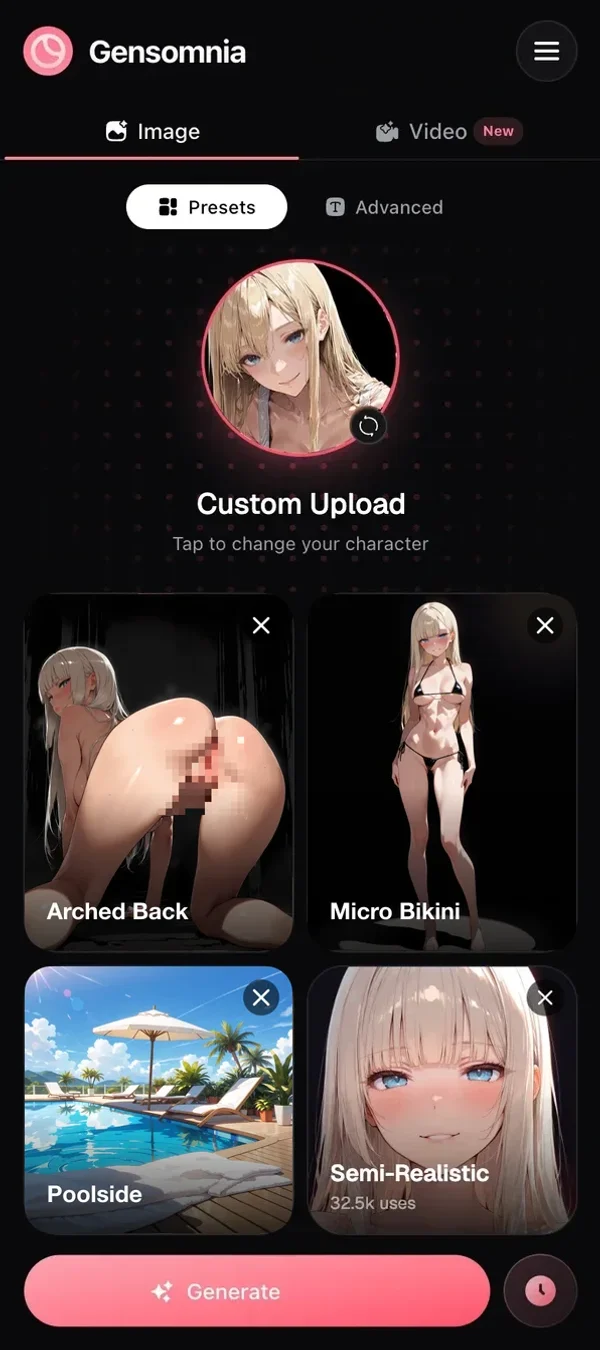
The result
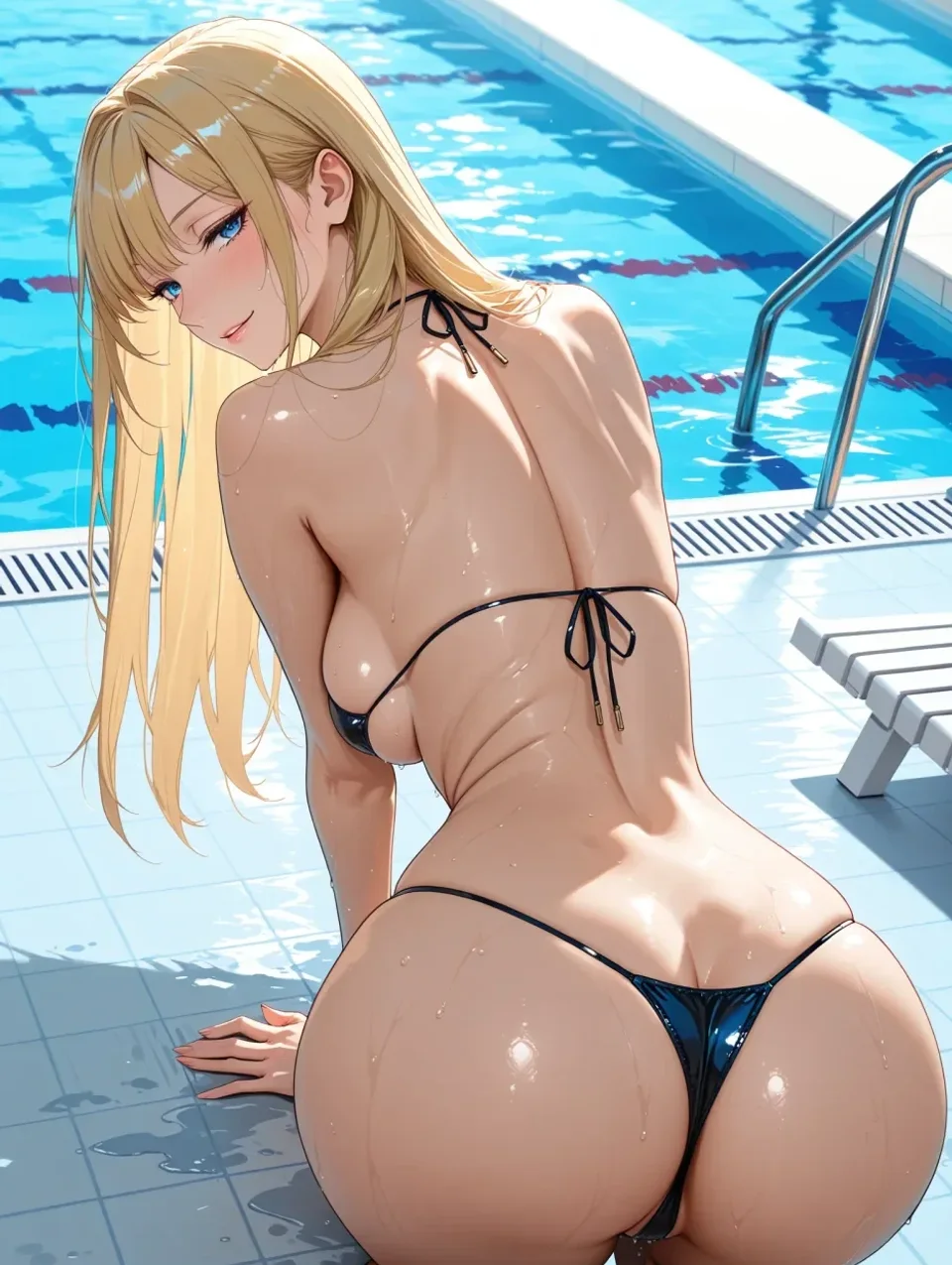
Arched Back, Micro Bikini, Poolside, Semi-Realistic: the blonde from a single uploaded picture, now by a pool. One file in, a new scene out.
Short version: one picture is enough. Upload it to Gensomnia, tap a pose, and her face, hair, outfit, background and visual style carry over into every new scene, nude ones included. Only what you pick changes. Pick that one picture carefully, because everything else is built on it.
Training a model wins on total control. One upload wins on everything else.
Why people think one picture is not enough
Thirty-odd years ago, when I first paid an illustrator to draw a character for a project of mine, he wouldn't start without a turnaround sheet. Front, three-quarter, side, back. One drawing, he said, and he'd be guessing about her the whole job.
That instinct still sticks with people. Ask around about making scenes with a character and somebody will tell you to collect twenty pictures of her and train a model. That's real advice for that route. It's also a weekend, a graphics card and a folder of pictures you probably don't have.
Myth: you need a stack of pictures for the same face.
Fact: that's true for training. A reference generator needs one.
A reference-picture generator works from the one you do have. It looks at her each run and puts that face into the new scene. No training, no sheet.
What makes the one picture good
A good single picture shows her face large, lit evenly and uncovered. Everything else is secondary. Here's what I check, most important first:
- Face size. If her face is a thumbnail in a wide shot, crop in before you upload.
- Nothing in front of it. Hair across one eye, a hand, sunglasses. The generator has to guess what's behind, and guesses drift.
- She's alone. Two people in the frame and you're asking the tool which one you meant.
- Light. Deep shadow over half the face reads as a different face half the time.
- The style you want. Whatever the picture looks like, the scenes will look like. More on that below.
Any fictional adult works: a drawing, an anime frame, a realistic picture of a made-up woman, an old generation you liked. Real people don't, ever, even in a realistic picture. Plain as day.
What carries over from it
Her face and hair carry over every time. Outfit, background and visual style carry over too, unless you pick new ones. A comic panel comes back comic. A realistic frame stays realistic. I didn't expect the second part to matter as much as it does, but a set where the face matches and the rendering wanders looks like five different artists worked on it.
You can switch the style when you want. Semi-realistic, 3D, anime, cartoon or comics go on top, and you get a properly new look with the same woman inside. My frame above has Semi-Realistic on, and she's still the blonde from the file.
The only thing you have to pick is a pose
A pose is the one required choice, or a written prompt in its place. Clothes, place and style are optional. Whatever you skip stays the way it is in her picture.
That surprised me the first time. I was used to tools where an empty field meant "surprise me". Here it means "keep what's there", which is what you want when you have exactly one picture and you like it.
What not to bother with
Skip the things the old routes needed. You don't need more pictures of her, a written description of her face, or a negative prompt listing what she shouldn't look like. Real talk: the picture already says who she is.
I'd also skip changing three tiles at once on your first runs. Change the pose, look, then change the place. When something looks off you'll know which tap did it.
From one picture to a whole set
- 01
Upload the one picture
Tap the character circle and upload. She stays in your uploads, so you only do this once.
- 02
Tap a pose and generate
That's the minimum. 10–15 seconds later you have her in the new pose, in her own outfit and room.
- 03
Change one thing per run
New place, new outfit, or Fully Nude. There are 75+ poses, 200+ outfits and 200+ places, with new ones daily.
- 04
Make a batch when a pose is tricky
Run 2, 4 or 8 at once and keep the best. Poses that turn her away from you are where this pays off.
- 05
Save the keepers
Favorites hold the good ones, and a repeat is one tap. A frame you love can start a 5-second 720p video, too.
Your history stays put until you delete it yourself, and nothing goes public unless you publish it. Worth knowing when the whole set rests on one private picture.
The other routes, side by side
There are three ways to get scenes from a single picture, and only one of them treats one picture as enough. To be fair to training: once it's done, it gives you control no tile menu will, straight up. You just pay for it in hours. The Gensomnia column is from our runs; the other two describe the general approach, not a named service.
If you're still choosing where to upload, we have a ranking of generators that take a picture. For keeping her the same across a long set, see how to keep the same character across scenes. And if your one picture is going to carry a whole game, I wrote up how I plan CGs around one heroine.
Bottom line: my illustrator friend needed a turnaround sheet. Gensomnia needs one picture (and doesn't ask for a deposit).
One file of her, a pose tap, and the rest of the set follows.
GenerateQuestions
- Q01Can AI make NSFW images from one picture?
- Yes. Generators that work from a reference picture need only one image of the character. In Gensomnia you upload it, tap a pose, and she comes back in a new scene with her face, hair, outfit, background and visual style. Only what you pick changes.
- Q02How many images do you need for a consistent AI character?
- One, if the generator works from a reference picture. Training your own model is the route that needs a whole set of pictures.
- Q03What kind of picture works best as a single reference?
- A picture where her face is large, evenly lit and not covered by hair or hands, with nobody else in the frame. It should be in the visual style you want for the whole set.
- Q04Does the outfit in the picture carry over?
- Yes, in Gensomnia, unless you change it. Only the pose is required, and clothes, place and style you leave empty stay as they are in the uploaded picture.
- Q05Can I use a photo of a real person?
- No. Only fictional characters are allowed, and she must be an adult. Realistic pictures of fictional women are fine.
- Q06Can I make a video from one picture?
- Yes. Gensomnia makes 5-second 720p clips, starting from your uploaded picture, a preset or a frame you already made.
Some links on this site pay us a commission when you sign up. The ranking is based on our checks, and commissions don't change it.
Keep reading
 Gensomnia Generate